
For real estate creators
A suite of tools, built to supercharge your edits.
From the card offload to the first cut, First Pass takes care of the prep. RoomSort turns a shoot into an organised workspace. Magic Wand turns a photo or a clip into a finished twilight, sky, season or staged room. Your footage. Your creative decisions.
A place for
every shot.
See your shoot as a home. RoomSort groups clips by room and shot type, then puts them on an interactive house. Pick a room. Find your footage. Keep your focus on the story.
Magic Wand
Generative tools
for power users.
Generate with the top image and video models without leaving the app you already sort your shoots in.
- One credit balance
- No separate accounts or API keys
- Finished shots
- The prompt work is done. A Direction note is optional
- Review myself
- Approve the frame before you pay for the video
- Automatic refunds
- A failed render gives its credits back
 Start
Start End
EndThe right vision
for your shoot.
One slider decides how much of a shoot may leave your Mac. Keep it on Fast and everything stays local. Slide up when a shoot needs a closer look, and only the clips the Mac isn't sure about go to the cloud.
- Fast
- On your Mac
- Balanced
- Cloud on unsure clips
- Sharp
- Cloud on anything not clear
- Full
- Cloud on every clip
Free · nothing leaves this Mac
Magic Wand models
The best models
in the industry.
Pick a model. Make the shot. Each card plays a real result made in Magic Wand.
Camera moves
Seedance 2.0
Push-ins, orbits and glides between two photos, steady as a drone.
Clip or photo + End frame · 4–15 s · Up to 4K
Transitions
Kling 3.0
Day to night, before and after, and staging reveals on a locked camera.
Photo or text + End frame · 3–15 s · Up to 4K
Edit your clip
Seedance 2.5
Change the light, sky or season on footage you shot, camera move and all.
Clip or photo · 4–30 s · 1080p
Photo models too, including Nano Banana Pro, Seedream 5.0 Pro and Grok Imagine Image 2.
Ready for
your timeline.
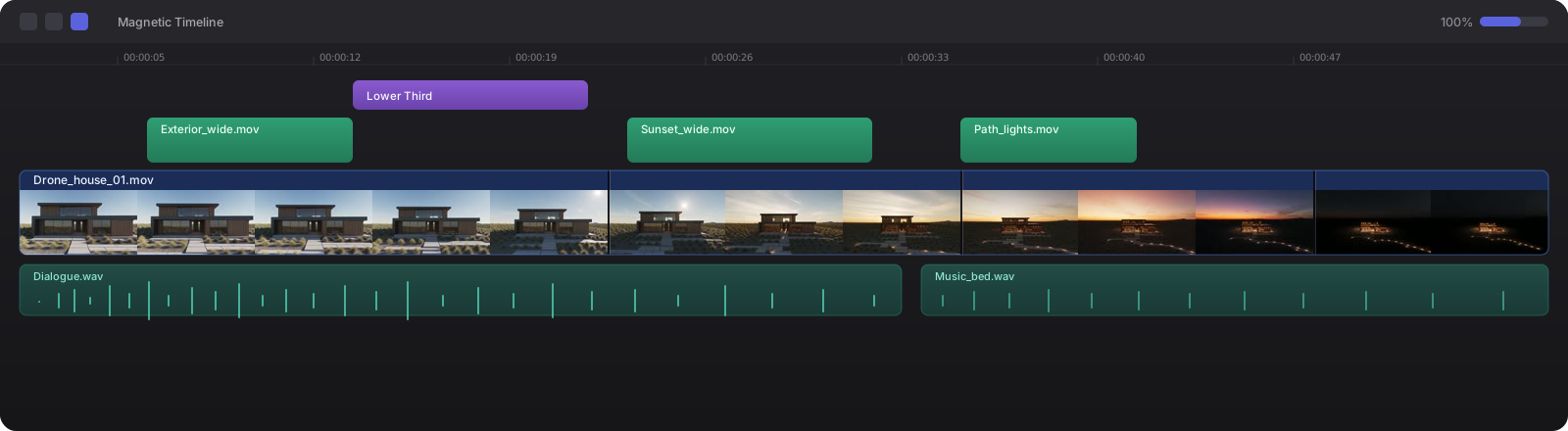
Send your organised shoot straight to Final Cut Pro, or export FCPXML for DaVinci Resolve. Magic Wand results land in History as ready-to-cut files for the same timeline. Your original files stay untouched.
- Final Cut ProDirect handoff
- DaVinci ResolveFCPXML export
- Premiere ProComing soon
The Road to 1.0
A toolbox for the next
generation of creators
Join the editors who'd rather cut than prompt. One button does the work you'd otherwise buy credits to keep re-trying, and every plan says what its credits make: finished work you can hand a client.
Get First Pass
Plans are open. Pick one, download the app from your account, and activate it with the code we email you.
New to First Pass
First Pass for Mac
RoomSort and Magic Wand in one native app. Start a plan, then the download and your activation code are waiting in your account.
- ·Credit packs that never expire
- ·Notarized by Apple · macOS 14+
- ·Your original files stay untouched
Cancel any time · payments handled by Paddle
Already testing
Beta testers
Your beta key keeps working, and so do your credits. Sign in to get the latest build, or move your key onto a plan without losing a thing.
- ·Same key, same Macs, credits kept
- ·Updates install from inside the app
- ·Direct line to the people building it
Sign in with the email your key was sent to